
Download Nicelyformed – AI-Powered Form Builder for Windows, Mac, Android & iOS
Nicelyformed is a revolutionary web-based tool that transforms how you create forms using natural language. With AI-driven automation, it enables users to generate fully functional, customizable forms in seconds—no coding required. Whether you're collecting customer feedback, managing event registrations, or gathering survey data, Nicelyformed streamlines the entire process.
Its intuitive interface and smart form generation make it ideal for individuals, small businesses, educators, and enterprises alike. The platform supports multiple input types, including text fields, checkboxes, file uploads, and rating scales, all created through simple text prompts. You can embed forms into websites, share them via custom links, and even set up automated email notifications.
With a free plan offering robust features and a premium tier for advanced needs, Nicelyformed balances accessibility and power. Secure, fast, and continuously updated, it’s one of the best tools for modern data collection.
Effortless Form Creation with Natural Language AI
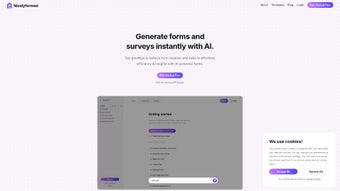
One of the standout features of Nicelyformed is its ability to generate forms using plain English. Instead of manually dragging and dropping fields, you simply type a prompt like, “Create a customer feedback form with rating, comments, and file upload.” Within seconds, Nicelyformed interprets your request and constructs a fully functional form. This AI-powered approach drastically reduces the time and effort traditionally spent on form design. The system intelligently selects appropriate input types based on context—ensuring that a survey about product satisfaction includes a star rating, while a registration form includes name, email, and attachment fields. This natural language processing (NLP) engine is trained on thousands of form templates, making it highly accurate and adaptable.
What makes this especially powerful is the flexibility it offers. You can refine your form after generation by adding conditional logic, setting validation rules, or adjusting field labels—all through an easy-to-use visual editor. The AI doesn’t just create forms; it learns from your preferences over time, suggesting smarter layouts and input types as you use it more.
Whether you're a marketer building a lead capture form, a teacher creating a student feedback sheet, or a nonprofit organizing donations, Nicelyformed adapts to your workflow. There’s no learning curve, and the interface is clean, responsive, and distraction-free. Even users with zero technical experience can create professional-grade forms in under a minute.
This seamless integration of AI and usability sets Nicelyformed apart from traditional form builders.
Best of all, the entire process is cloud-based, meaning you can access your forms from any device—Windows PC, Mac, Android phone, or iOS tablet—through a modern web browser. No downloads or installations are required, making it instantly accessible. The platform also supports real-time collaboration, so teams can work together on form design without delays. With automatic saving and version history, you never lose your progress. Nicelyformed isn’t just a tool; it’s a smart partner in data collection.
Advanced Customization & Seamless Integration
Nicelyformed goes beyond basic form creation by offering deep customization options that empower users to tailor their forms to brand identity and specific use cases. From changing color schemes and fonts to adding logos and custom headers, the platform ensures your forms look professional and consistent with your organization’s image. The drag-and-drop editor allows you to rearrange fields, group related inputs, and apply conditional logic—such as showing a “Why did you leave?” field only if a user selects “No” in a satisfaction survey. These features are especially useful for creating dynamic, user-friendly forms that adapt to user responses.
Integration capabilities further enhance its utility. Nicelyformed supports direct embedding into websites via a simple HTML snippet, making it ideal for landing pages, blogs, or e-commerce sites. You can also generate shareable custom links for social media, email campaigns, or event invitations. Each form can be tracked with analytics, so you can monitor response rates, completion times, and user behavior. For businesses, this data is invaluable for optimizing marketing strategies and improving customer experience.
Another powerful feature is automated email notifications. Set up alerts that trigger when a new response is submitted—perfect for customer service teams, HR departments, or event organizers. The premium plan unlocks advanced integrations with tools like Zapier, Slack, and Google Sheets, enabling automatic data syncing and workflow automation.
Whether you're collecting leads for a sales funnel or managing volunteer sign-ups for a charity event, Nicelyformed ensures your data flows smoothly into your existing systems. All forms are stored securely with end-to-end encryption, and user data is protected in compliance with GDPR and CCPA standards. This combination of customization, integration, and security makes Nicelyformed a top choice for modern digital workflows.
Compatibility, Pricing, and User Experience
Nicelyformed is a web application, meaning it runs directly in your browser—no installation or downloads required. It’s compatible with all major operating systems: Windows, Mac, Android, and iOS. Whether you're using a desktop, laptop, tablet, or smartphone, you can access your forms anytime, anywhere.
The platform is optimized for responsiveness, ensuring a smooth experience across devices. The interface is clean, modern, and intuitive, with tooltips and guided onboarding for new users. Even first-time users can navigate the dashboard, create forms, and manage responses with minimal effort.
Free users get access to core features: up to 5 forms, basic customization, standard analytics, and email notifications. This is more than enough for individuals, students, or small teams with light data collection needs. For those requiring more advanced capabilities, the premium plan starts at $12/month and includes unlimited forms, custom branding, advanced logic, API access, and priority support. The pricing is transparent, with no hidden fees, and you can cancel anytime. Regular updates roll out every few weeks, introducing new AI features, performance improvements, and security patches.
Customer support is responsive and helpful, with a comprehensive knowledge base, video tutorials, and live chat options. The community forum is active, with users sharing templates and best practices. Overall, the user experience is seamless—from creation to deployment to data analysis. Nicelyformed truly delivers on its promise of making form creation fast, smart, and stress-free.
Pros and Cons: A Balanced Review
- Pros:
- AI-powered form generation using natural language—create forms in seconds
- Zero coding required—perfect for non-technical users
- Multiple input types: text, file upload, rating, checkboxes, and more
- Full customization with branding, colors, fonts, and conditional logic
- Easy embedding and sharing via custom links or HTML code
- Secure, GDPR/CCPA-compliant data handling
- Free plan offers strong functionality for personal use
- Regular updates and excellent customer support
- Cons:
- Advanced features locked behind premium subscription
- Web-only access—no native desktop or mobile app
- AI may occasionally misinterpret complex prompts
- Limited export options in free tier (no CSV export)
- Learning curve for highly advanced workflows
Frequently Asked Questions (FAQ)
Is Nicelyformed free to use?
Yes, Nicelyformed offers a free plan that includes up to 5 forms, basic customization, email notifications, and standard analytics. It’s ideal for individuals, students, or small projects. For more advanced needs, a premium plan is available starting at $12/month.
Can I use Nicelyformed on my Android or iOS device?
Absolutely. Nicelyformed is a web-based tool accessible from any device with a modern browser. You can create, edit, and manage forms on Android phones, iOS tablets, and other mobile devices with ease.
How does the AI generate forms from text?
Nicelyformed uses natural language processing (NLP) to interpret your prompts. When you type something like “Create a job application form with name, resume upload, and availability,” the AI identifies key elements and generates a structured form with appropriate fields and logic.
Can I export form responses?
Yes, the free plan allows export to CSV. Premium users get additional export formats, including Excel and JSON, and can integrate directly with Google Sheets, Zapier, and other tools.
Is my data secure with Nicelyformed?
Yes. Nicelyformed uses end-to-end encryption and complies with GDPR and CCPA regulations. Your data is stored securely in encrypted cloud servers, and access is protected with password authentication.
Final Verdict: Why Nicelyformed Stands Out
Nicelyformed is more than just another form builder—it’s a smart, AI-driven solution that redefines efficiency in data collection. Its natural language interface removes the complexity of traditional form design, making it accessible to everyone. The customization options, integration capabilities, and robust security make it suitable for both personal and professional use. While the premium plan unlocks the full potential, the free tier is impressively capable. If you're tired of spending hours building forms from scratch, Nicelyformed offers a faster, smarter alternative.
Ready to simplify your data collection? Download Nicelyformed today and start creating AI-powered forms in seconds—no coding, no hassle, just results.



.png)



